-
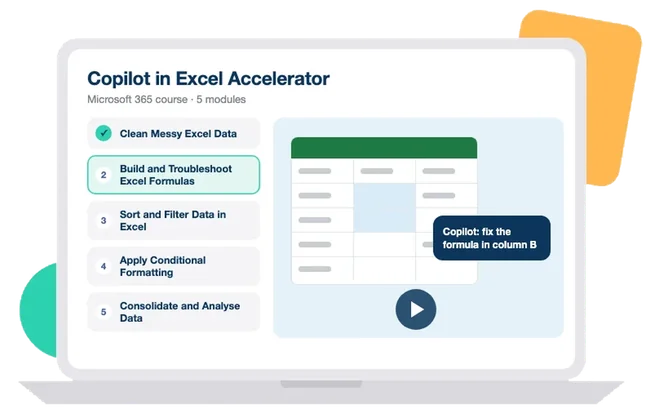
Copilot - Clean Messy Excel Data
Clean up messy Excel data with Copilot and follow the steps it takes
so you can check the result.
Use Copilot to detect and fix common data problems like inconsistent
text, dates, and spacing
Read the steps Copilot documents so you can check and correct its
cleaning work
-
Copilot Agents - Workflows
Build a Copilot workflow in plain language that sorts your daily
emails and summarises them into Teams.
Find the Workflows agent in the Microsoft 365 portal and open it
Build an email workflow in plain language that sorts and summarises
to Teams
-
Copilot Cowork Accelerator
Put Copilot Cowork to work: the agentic side of Copilot that
analyses Excel data, runs deep research and builds presentations
from your documents.
Explain what Copilot Cowork is and how to access it.
Use Cowork to analyse Excel data and run deep research.
Generate presentations from existing documents with Cowork.
-
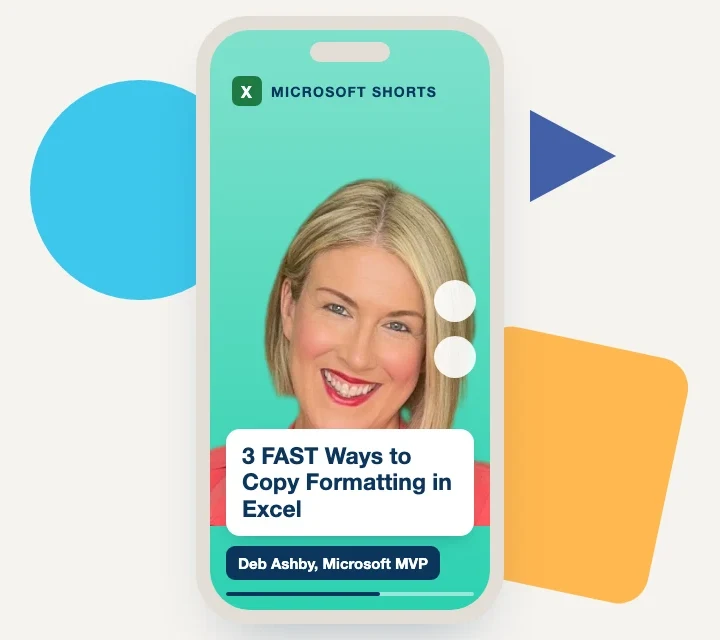
3 FAST Ways to Copy Formatting in Excel
Three quick ways to reuse formatting so your spreadsheets stay
consistent.
Copy formatting to one or many areas with the Format Painter
Duplicate a worksheet's formatting by copying its sheet tab
-
4 Excel Efficiency Tips
Four Excel habits that cut clicks: status-bar copying, paste values,
and named ranges.
Copy status-bar calculations and paste values only to fix formula
columns in Excel.
Create and recall named ranges to speed up navigation and formula
writing.
-
A Simple LAMBDA in Excel
Turn a long formula into a named custom function you can call again
anywhere.
Build a custom function from a formula using LAMBDA
Save a LAMBDA in Name Manager so you can reuse it by name
-
Absolute vs Relative Cell Referencing Explained!
Learn when to lock a cell reference and when to let it move, so
copied formulas give the right result.
Explain how relative and absolute references behave when a formula
is copied.
Apply absolute referencing to lock a cell, such as a fixed tax rate.
-
Add a Search Box into an Excel Spreadsheet
Build a search box that highlights matching rows as you type, for
datasets of any size.
Add a form control search box that finds full and partial matches.
Use conditional formatting to highlight rows that match the search
term.
-
Add a Tab in Microsoft Teams
Pin key documents and apps as tabs in a Teams channel so everyone
can reach them.
Add a tab in a Teams channel for a Microsoft 365 file or a third-
party app.
Configure the tab so channel members can open and edit shared
documents in Teams.
-
Add Custom Copilot Instructions in Outlook
Set your tone, length, and greeting once so Copilot writes every
draft your way.
Open Copilot draft settings in Outlook and turn on custom
instructions
Save preferences for tone, length, and greeting that apply to every
draft
-
Apply Automatic Formatting in Excel
Apply formatting that grows with your data automatically, without
switching to Excel tables.
Set up conditional formatting in Excel that adds borders as new rows
arrive
Use a mixed reference with F4 so the formatting extends down the
correct columns
-
Apply Multiple Actions to Outlook Emails with Quick Steps
Set up a one-click Quick Step that moves, categorises and forwards
an email together.
Create a custom Quick Step that moves, categorises and forwards an
email at once.
Assign a keyboard shortcut so you can run the Quick Step on repeat
tasks.
-
Applying Formatting to Multiple Items in Word
Reformat every instance of a Word style in one step using the Styles
pane.
Select every instance of a style from the Styles pane in one action.
Reformat all selected text at once, such as changing font colour or
applying italics.
-
Are You Using Data Bars Effectively?
Apply and customise Excel data bars so a range's values are
easier to read and compare.
Apply data bars to a range in Excel to show relative values at a
glance
Customise data bars, including showing the bar without the
underlying number
-
Ask Questions with Copilot in Outlook
Ask Copilot the right questions in Outlook to summarise, advise, and
answer without switching apps.
Ask Copilot in Outlook to summarise a document or long email
Prompt Copilot clearly to get writing tips and general answers
-
Auto-create Folders and Subfolders in File Explorer
Turn an Excel list into a batch file that creates many folders and
subfolders at once.
Build a list of MD commands in Excel and save it as a .bat file.
Run the batch file to create folders and subfolders in File Explorer
at once.
-
Automatically Apply Number Formatting in Excel Pivot Tables
Set number formats once in the data model so your pivot tables stay
consistent without repeated reformatting.
Explain why Excel has no default number format setting for pivot
table fields.
Use Power Pivot and the data model to apply number formats that hold
across reports.
-
Blur Effect in PowerPoint
Add a blurred backdrop to PowerPoint title slides so your text stays
sharp and readable.
Add a blur effect to a title slide using a shape and Picture Format
in PowerPoint.
Combine the blur with colour and animation to keep title text
readable.
-
Breakout Rooms Microsoft in Teams
Use breakout rooms in Microsoft Teams to run focused group
discussions inside a larger meeting.
Create and name breakout rooms in a Microsoft Teams meeting
Assign participants, send broadcast messages and close rooms to
regroup
-
Build a Pivot Table from Multiple Sources with Power Pivot
Combine several tables in Power Pivot and report across them from
one pivot table.
Enable Power Pivot and import several tables into the data model.
Create relationships between tables so one pivot table can use
fields from all of them.
-
Calculate Work Days Excluding Time Off in Excel
Work out project end dates and working-day counts in Excel while
skipping weekends and holidays.
Use NETWORKDAYS to count working days between two dates, excluding
weekends and holidays.
Apply NETWORKDAYS.INTL to work out a project end date from a start
date and duration.
-
Calculate Work Days with Custom Days Off in Excel
Calculate project durations in Excel when your work week is not
Monday to Friday.
Set custom non-working days in NETWORKDAYS.INTL using the weekend
string argument.
Calculate project durations for a non-standard work week, excluding
holidays.
-
Calculated Fields in Excel Pivot Tables
Add custom calculations inside an Excel Pivot Table without touching
your original data.
Add a calculated field to an Excel Pivot Table from the PivotTable
Analyze tab
Edit or delete a calculated field without changing the source data
-
Cell Styles in Excel - Do we REALLY need them?
Use cell styles to show at a glance which cells hold data and which
hold formulas.
Apply pre-set and custom cell styles to mark each cell's
purpose
Build a legend that documents your cell styles for other users
-
Change Title and Tab Name Automatically in Excel
Link a worksheet title to its tab name with a formula, no VBA
needed, in any recent Excel.
Link a cell title to the sheet tab name using CELL and TEXTAFTER in
Excel 2021 or 365.
Apply the MID and SEARCH alternative for older versions of Excel.
-
Change your Outlook for the Web Theme and Colours
Personalise how Outlook for the Web looks by changing its theme,
background and highlight colour.
Switch Outlook for the Web to dark mode and set a background
Pick a preset theme or set a custom highlight colour from the
appearance settings
-
ChatGPT to Bulk Send Emails
Use ChatGPT to write the VBA behind a bulk email send from Excel.
Prompt ChatGPT to write VBA that sends emails in bulk from Excel.
Save the file as a macro-enabled workbook and run the generated
macro.
-
Check for Issues and Accessibility in Excel
Check a spreadsheet for accessibility problems before you share it
with others.
Run the Accessibility Checker to find problems before you share a
spreadsheet.
Add alt text to images so screen reader users understand them.
-
Clean a Dataset with Excel Functions and Utilities
Tidy a messy dataset into an analysis-ready table using Excel's
built-in tools, no Power Query needed.
Clean a raw dataset in Excel using Flash Fill, Text to Columns and
number formatting
Apply the PROPER and TEXTSPLIT functions to fix casing and split
text into columns
-
Cleaning Data in Excel with Power Query Part 1
Start cleaning messy data in Excel with Power Query and Applied
Steps.
Import a dataset into Power Query and clean it in the Power Query
Editor.
Track and undo changes using the Applied Steps list.
-
Cleaning Data in Excel with Power Query Part 2
Reshape a messy dataset in Power Query by trimming, splitting, and
merging.
Remove unwanted rows and blank spaces from a Power Query dataset.
Split and merge columns to give the data a clearer structure.
-
Cleaning Data in Excel with Power Query Part 3
Finish the Power Query workflow by loading and refreshing your
cleaned data.
Load cleaned Power Query data into Excel as a pivot table or chart.
Refresh the query so charts and tables update when the source
changes.
-
Combine Files in Power Query
Merge every file in a folder into one dataset and refresh it as new
files arrive.
Combine every file in a folder into one query using Power Query
Refresh the query to pull in new files added to that folder
-
Compress Images in PowerPoint to Reduce File Size
Shrink a heavy PowerPoint file with Compress Pictures while keeping
your slides sharp.
Use Compress Pictures in PowerPoint to strip cropped image data and
cut file size.
Adjust image resolution to keep slides sharp while the file stays
small.
-
Conditional Formatting in Outlook for the Web
Set up conditional formatting in Outlook for the Web to colour-code
emails from key senders.
Set up conditional formatting rules in Outlook for the Web
Colour-code emails from specific senders so important messages stand
out
-
Conditional Formatting with Icon Sets in Excel
Show data trends visually with icon sets in conditional formatting.
Apply icon sets in conditional formatting to flag data trends at a
glance.
Edit an icon set rule to show icons on their own without the cell
values.
-
Convert Numbers to Words
Turn figures like 1,250 into words using a short piece of VBA code
in your workbook.
Enable the Developer tab and open the Visual Basic Editor in Excel.
Add VBA code that converts numeric values into written words.
-
Convert Values in a Spreadsheet in Excel
Use the CONVERT function to switch values between units such as
centimetres and feet.
Use the CONVERT function to change values between measurement units
in Excel.
Set the number, source unit, and destination unit arguments
correctly.
-
Copilot & Copilot Agents Quick Start
A fast start with Microsoft Copilot: generative AI foundations, best
practice, the Copilot versions, and how to prompt like a pro.
Explain what generative AI is and follow best practice when using
Copilot.
Choose the right Copilot version for the task in hand.
Write clear, effective prompts that get better results from Copilot.
-
Copilot - Apply Conditional Formatting in Excel
Set up conditional formatting in Excel with plain-language prompts
instead of building rules by hand.
Use Copilot to highlight rows in Excel by a condition such as
payment method or region
Prompt Copilot for colour fills, data bars, and consistent number
and date formatting
-
Copilot - Build and Troubleshoot Excel Formulas
Build and troubleshoot dynamic Excel formulas with Copilot, then
check they hold up as data grows.
Use Copilot to build dynamic Excel formulas such as FILTER and drop-
down data validation
Read a Copilot-generated formula and fix inefficiencies like hard-
coded ranges
-
Copilot - Consolidate and Analyse Data in Excel
Consolidate messy data from several sheets and build a summary with
a single Copilot prompt.
Use one Copilot prompt in Excel to split, combine, and consolidate
data from several sheets
Write a Copilot prompt that produces summary calculations and builds
a chart for analysis
-
Copilot - Financial Analysis Dashboard Assets
Turn dense financial reports into clear Excel dashboards with
Copilot in a few seconds.
Use Copilot to extract key financial data from a report into
structured Excel tables
Prompt Copilot for summary metrics and charts, then review the
output for accuracy
-
Copilot - Sort and Filter Data in Excel
Sort and filter large datasets in Excel with short Copilot prompts,
then reset them just as fast.
Use Copilot to sort a large Excel dataset by a chosen column, such
as revenue from highest to lowest
Prompt Copilot to filter records by a condition and then clear the
filters to restore the data
-
Copilot - Translate Text on Slides in PowerPoint
Translate a full presentation, slides and notes, with Copilot
instead of editing each slide by hand.
Use Copilot in PowerPoint to translate slide text and speaker notes
into another language
Respond to Copilot's clarification prompts so the translation
matches what you actually want
-
Copilot 365 Fundamentals
A beginner's guide to harnessing Microsoft Copilot: understand
what it is, write effective prompts, and use Copilot across Excel,
PowerPoint, and Word.
Understand what Microsoft Copilot is and how it enhances
productivity.
Learn the key differences between Copilot and ChatGPT, and the
Copilot versions available.
Write effective prompts to get the most from AI assistance.
Use Copilot in Excel, PowerPoint, and Word to create formulae,
presentations, and documents.
-
Copilot Icon Greyed Out in Outlook
Fix a greyed-out Copilot icon in Outlook yourself before you call
IT.
Check the account and licence behind a greyed-out Copilot icon in
Outlook
Turn Copilot on from settings in classic and new Outlook
-
Copilot in Excel
Use plain prompts to format, highlight, sort, filter and add formula
columns in Excel with Copilot.
Write prompts that tell Copilot to format cells, highlight values,
and sort or filter data.
Ask Copilot to add a formula column to your worksheet.
-
Copilot in Excel Accelerator
Put Microsoft Copilot to work in Excel: generate insights from raw
data, sort and filter with natural language, format, clean, build
formulas and create dashboards.
Use Copilot to generate insights, sort and filter, and clean data in
Excel.
Apply conditional formatting and build formulas with natural-
language prompts.
Create a dashboard that summarises key data for monitoring and
decisions.
-
Copilot in Outlook Accelerator
Put Microsoft Copilot to work in Outlook: draft and reply to emails,
summarise threads, manage your inbox with rules and flags, and stay
on top of your calendar.
Draft and reply to emails quickly with Copilot.
Summarise long threads and manage your inbox with rules and flags.
Use Copilot to coach your writing and manage your calendar.
-
Copilot in PowerPoint
Draft and refine PowerPoint presentations quickly using Copilot and
your own documents.
Use Copilot in PowerPoint to draft a presentation from a prompt or
an existing document.
Write specific prompts and apply company templates to shape
Copilot's output.
-
Copilot in PowerPoint Accelerator
Put Microsoft Copilot to work in PowerPoint: create and edit
presentations, apply company templates, reference files, and present
with confidence.
Create and edit presentations quickly with Copilot.
Apply a company template and reference existing files in a deck.
Organise, summarise and present your slides with Copilot's
help.
-
Copilot in Teams Accelerator
Put Microsoft Copilot to work in Teams: meeting recaps, real-time
help during calls, and AI summaries that keep everyone aligned.
Generate meeting recaps and action points with Copilot.
Use Copilot in real time during a call.
Create AI summaries that keep the team aligned.
-
Copilot in Word Accelerator
Put Microsoft Copilot to work in Word: draft documents, turn content
into PDFs and decks, handle emails, visualise data as tables, and
ask questions of your text.
Draft and refine documents quickly with Copilot.
Turn content into PDFs, decks and tables, and handle emails.
Ask Copilot questions to interrogate and summarise a document.
-
Copilot Notebooks in OneNote
Group your project files into a Copilot notebook and get answers
drawn only from them.
Create a Copilot notebook in OneNote and add files, links, and pages
Prompt Copilot against the notebook and check which source it used
-
Copy Conditional Formatting Rules Across Workbooks in Excel
Reuse a conditional formatting rule in another workbook without
rebuilding it.
Create a formula-based rule that highlights whole rows on a
condition
Copy the rule to another workbook with Paste Special and adapt it
-
COUNT and SUM by Cell Colour in Excel
Count and sum cells by their fill colour without touching VBA, using
SUBTOTAL and filters.
Count and sum cells by fill colour using SUBTOTAL with a filter
Convert the range to a Table so results update as records are added
-
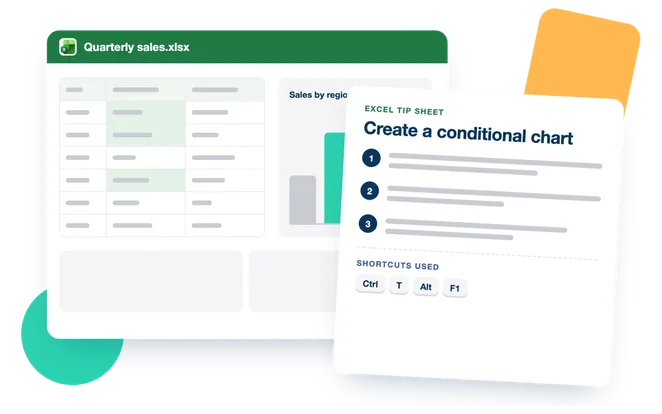
Create a Conditional Chart in Excel
Build a conditional clustered column chart with a moving target
line, and highlight the data points that matter.
Build a conditional clustered column chart in Excel using helper
columns.
Add a moving target line to a chart with Change Series Chart Type.
-
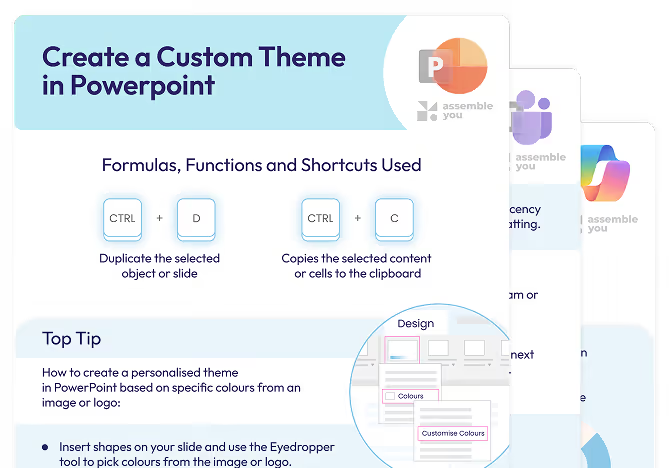
Create a Custom Theme in PowerPoint
Match your slides to a logo or brand image by building a custom
colour theme.
Pick colours from an image with the Eyedropper tool
Build a custom colour palette on the Design tab and save it as a
theme
-
Create a Daily Habit Tracker in Excel
Build a habit tracker in Excel with checkboxes that show your weekly
completion as a percentage.
Add day-of-the-week checkboxes to a habit tracker using the
Developer ribbon
Calculate weekly completion as a percentage with a COUNTIF formula
-
Create a Dynamic Macro in Excel + Edit the VBA Code
Turn a static macro into one that works across changing data by
editing its VBA code.
Open the Visual Basic Editor to view the code behind a recorded
macro.
Edit VBA so a macro adapts to changing data instead of fixed cell
ranges.
-
Create a Filter Macro in Excel + Assign to a Button
Build a one-click filter in Excel by recording a macro and attaching
it to a button.
Record a macro that applies an advanced filter to an Excel table.
Assign the macro to a button or shape so filtering runs with one
click.
-
Create a Scrolling Table in Excel using OFFSET
Fit a large dataset into a compact scrolling table so your sheet
stays tidy and interactive.
Build a scrolling table in Excel using the OFFSET function
Add a form-control scroll bar from the Developer tab to page through
records
-
Create a SLICK Bar Chart like 'The Economist' in Excel
Create a 100% stacked bar chart in The Economist style that updates
as your data changes.
Build a 100% stacked bar chart in Excel from selected data.
Adjust colours, labels, and text boxes so the chart looks polished
and updates with the data.
-
Create a Spotlight Effect with Morph in PowerPoint
Use Morph transitions to spotlight key elements on a slide.
Use the Morph transition in PowerPoint to build a spotlight effect.
Set the Morph transition duration in the Transitions menu to control
timing.
-
Create a Stock Chart in Excel
Build a stock chart that updates from a chosen ticker and reads
clearly.
Use STOCKHISTORY and XLOOKUP to pull stock prices for a chosen
ticker.
Add data validation and format the chart so it updates from a
selected stock.
-
Create a Stock Inventory Tracker in Excel
Build a tracker that shows in-stock and out-of-stock items
automatically using the FILTER function.
Use the FILTER function to list items by their stock quantity.
Build a stock list that updates on its own as quantities change.
-
Create a Table of Figures in Word
Build a Table of Figures in Word so readers can find every image,
chart, and table.
Insert captions on images, charts, and tables to build a Table of
Figures in Word.
Update a Table of Figures after you change captions so it stays
accurate.
-
Create a Team and Add Members in Microsoft Teams
Build a team from scratch in Microsoft Teams and add members with
the access levels you want.
Create a new team in Microsoft Teams and choose its privacy setting
Add members and set access levels for a private, public or org-wide
team
-
Create a Team from a Microsoft 365 Group in Teams
Turn an existing Microsoft 365 group into a Teams team, keeping its
members, settings and permissions.
Create a Microsoft Teams team from an existing Microsoft 365 group
Add or remove team members using the Manage Team menu after setup
-
Create an Excel Chart with REPT, TEXT and SUM
Build a formula-driven bar chart inside cells using REPT, TEXT and
SUM, no chart tools needed.
Use REPT to repeat a character in proportion to a cell value.
Combine REPT, TEXT and SUM to build an in-cell chart without the
chart tools.
-
Create an Expiry Alert in Excel
Build a colour-coded invoice tracker that flags expiry dates
automatically.
Calculate the days remaining on each invoice using the TODAY
function.
Flag invoices as expired, about to expire, or on time with nested IF
and conditional formatting.
-
Create an Index in Word
Add an index to a long Word document so readers can jump straight to
the topic they need.
Mark index entries in Word to flag the terms you want listed.
Generate and update an index so readers can locate topics quickly.
-
Create Calendar Appointments FAST in Outlook
Turn an email into a calendar appointment in one step, with its
content already filled in.
Convert an email into a calendar appointment that carries the email
body across.
Adjust the date and time on the new appointment before you save it.
-
Create New Slides in PowerPoint with Copilot
Turn a prompt or a reference file into a structured PowerPoint deck
with Copilot in minutes.
Generate a slide deck in PowerPoint from a Copilot text prompt
Attach reference files and set style, audience, and slide count in
the prompt
-
Create Profile Photos and Edit in Windows 11
Edit photo backgrounds and prepare a profile picture using the
Windows 11 Photos app.
Edit a photo in the Windows 11 Photos app to blur, remove or replace
its background.
Prepare a clean profile picture for LinkedIn without a third-party
app.
-
Create Totals FAST in Excel with Quick Analysis
Add totals, running totals and quick charts from one Quick Analysis
button, no formulas typed.
Use Quick Analysis to add totals, percentages and running totals
without typing formulas.
Insert charts and conditional formatting from the Quick Analysis
menu.
-
Create Usable Barcodes in Excel
Turn product IDs into scannable barcodes in Excel using a free
barcode font.
Apply the Libre Barcode 39 font to turn product IDs into scannable
barcodes
Wrap a product ID in asterisks with a formula so the barcode font
renders correctly
-
Creating a Table of Contents with Bookmarks in Word
Build a working table of contents from bookmarks when Word styles
are not applied.
Add bookmarks to sections, headings, or images in an unstyled Word
document.
Link bookmarks into a table of contents so readers can jump to each
section.
-
Creating AutoText/Quick Part Entries
Save text and content you reuse often and drop it into any document
in a couple of clicks.
Save reusable text and content as AutoText and Quick Part entries
Store an entry in Normal.dotm so it appears in all new documents
-
Custom Formatting in Excel
Change how numbers, dates and text look in your cells without
altering the underlying values.
Build custom number formats using the positive, negative, zero and
text sections.
Add colour and symbols to cells with the Format Cells dialogue box.
-
Custom Slide Show in PowerPoint
Set up a looping slide show that runs while your audience arrives,
then return to your main deck.
Create a custom slide show in PowerPoint that loops before your main
talk
Set the loop option and switch back to all slides when your
presentation starts
-
Customise Views with Sheet View in Excel
Filter and sort a shared spreadsheet without changing what
colleagues see.
Create a personal Sheet View to filter and sort a shared file
without changing others' views.
Rename a Sheet View so you can find and switch to it later.
-
Data Validation Input Messages and Error Alerts in Excel
Guide people as they type and stop wrong entries before they reach
your spreadsheet.
Add an input message that tells users what to enter in a cell
Set up an error alert that blocks or warns on invalid data entry
-
Data Validation Lists with Images in Excel
Build a dropdown list that swaps in the matching image as you change
your selection.
Create a data validation dropdown list in Excel.
Link images to dropdown choices so they change with the selection
using INDIRECT and named ranges.
-
Data Validation with Conditional Formatting in Excel
Set up a dropdown list in Excel that automatically highlights the
rows matching your selection.
Set up a data validation dropdown list in Excel from a source range
Use conditional formatting to highlight rows that match the selected
value
-
Design Better Spreadsheets in Excel: 5 FAST Tips!
Five tips to make your Excel workbooks clearer and easier to use.
Structure a workbook with a summary page and hyperlink navigation.
Use cell references and data validation to keep formulas reliable.
-
Do You Know These Pivot Table Hacks?
Turn a confusing sales chart into a clear PivotTable and tidy line
chart.
Build a PivotTable from a messy dataset to clean up a confusing
sales chart.
Fix line-chart gaps and remove grand totals using PivotTable
options.
-
Draft Emails and Replies with Copilot in Outlook
Give Copilot the context it needs to draft and reply to emails well.
Write detailed prompts so Copilot drafts emails with the right tone
and length
Generate context-aware replies to existing email threads
-
Draft Messages from Prompts in Outlook
Turn a short prompt into a written email you can review and edit.
Draft a new email from a short prompt with Copilot
Review a Copilot draft and keep or discard it
-
Excel 365 Fundamentals
A hands-on beginner's guide to Excel 365: enter and format
data, navigate the interface, build simple formulas, and share your
work online with confidence.
Enter values and apply formatting to create professional-looking
spreadsheets.
Navigate the Excel interface and use its features to work with data
efficiently.
Collaborate and share Excel files in real time with others online.
-
Excel Essentials Unlocked
The beginner-to-intermediate Excel course: master navigation and
data entry, essential formulas and functions, tables, clean data,
PivotTables, and formatting.
Master Excel foundations: navigation, data entry, validation, and
conditional formatting.
Use the essential formulas and functions, from SUM and COUNT to IF
and XLOOKUP.
Organise data with tables, sorting, filtering, and grouping.
Clean data by removing duplicates and handling errors before
analysis.
Analyse data with PivotTables and PivotCharts, and finalise
spreadsheets for sharing.
-
Excel Formula Basics - For Absolute Newbies!
Get the basics of Excel formulas right, from cell references to
order of operations.
Tell the difference between an Excel formula and a function
Apply BODMAS and brackets to get calculations in the right order
-
Excel Function with NO Arguments - DATEDIF
Calculate the gap between two dates with DATEDIF, and a safer
YEARFRAC method for when it breaks.
Use DATEDIF in Excel to work out an age from a birthdate
Calculate age with YEARFRAC, TODAY and INT for when DATEDIF is
unavailable
-
Excel Keyboard Shortcuts Everyone Should Know
Four keyboard shortcuts that speed up everyday Excel work, from
resizing cells to summing tables.
Resize rows and columns instantly using keyboard shortcuts.
Sum several tables at once with a single shortcut.
-
Excel Tables
Use Excel tables to keep formulas and charts updating as your data
grows.
Convert a range into an Excel table using Format as Table or Ctrl +
T.
Use table features so formulas copy down and charts expand as you
add data.
-
Excel ‘Pearl’ Charts and Stacking
Build a pearl chart in Excel by stacking coloured circles to
represent your data points.
Format an Excel chart and add coloured circles as custom data point
elements
Apply the stack setting to build a layered pearl chart effect
-
Export a List of Files from File Explorer to Excel with Hyperlinks
Pull a folder's file names into Excel and make each one a
clickable link.
Use Command Prompt to list a folder's files and copy them to
the clipboard.
Turn those file paths into clickable hyperlinks in Excel with a
formula.
-
Export Form Data to Excel the Right Way in Forms and Excel
Set up Forms so new responses update your Excel file without manual
exports.
Create a Microsoft Form through OneDrive so responses flow into
Excel automatically.
Use the Responses tab to view and analyse form results in real time.
-
Filter Data Like an Expert in Excel
Filter Excel data with dropdowns inside a table and with the FILTER
function.
Add filter dropdowns to a table from the Data tab to hide and reveal
rows
Use the FILTER function to extract matching rows into a new range
-
Filter Non-Adjacent Columns in Excel
Pull out specific non-adjacent columns from a large dataset using
Excel's FILTER function.
Filter non-adjacent columns in Excel using the FILTER function
Combine multiple criteria with the asterisk operator to return only
the columns you need
-
Find a Closest Match to a Number in Excel
Find the value nearest a target number, with a helper column or a
single-cell formula.
Use ABS to turn differences into positive values in a helper column
Combine INDEX and MATCH to return the value with the smallest
difference
-
Find and Replace Hack in Excel
Clean up stray wildcard characters in imported data using Find and
Replace.
Use Excel's Find and Replace to locate wildcard characters like
asterisks in imported data.
Escape a wildcard with a tilde so Find and Replace treats it as a
normal character.
-
Find and Replace in Word
Use Find and Replace in Word to update text, special characters and
formatting at once.
Open Find and Replace with Ctrl + H to swap text across a document.
Use Find and Replace to change formatting and special characters,
not only words.
-
Find Emails with Copilot Search in Outlook
Ask Copilot Chat in plain words to find the email or attachment you
need in seconds.
Use Copilot Chat to find emails by sender or date range
Prompt Copilot Chat to locate an attachment a colleague sent
recently
-
Fly in and Dim Effect in PowerPoint
Reveal bullets one at a time and fade each to grey as you move
through the slide.
Animate individual bullet points rather than the whole placeholder
in PowerPoint
Use the After animation setting to dim each bullet once you move on
-
Footnotes and Endnotes in Word
Add footnotes and endnotes in Word to support your text with extra
detail.
Insert footnotes and endnotes from the References tab in a Word
document.
Change numbering styles and move between notes using Show Notes.
-
Generate a Practice Dataset with ChatGPT in Excel
Use ChatGPT to generate practice datasets in Excel, and work around
its size and output limits.
Prompt ChatGPT to generate a practice dataset with the rows and
fields you specify
Work around ChatGPT's row limit by requesting the data in
stages
-
Get Live Audience Feedback in Forms and PowerPoint
Add Microsoft Forms to your slides to gather live audience responses
as you present.
Insert a Microsoft Form into a PowerPoint slide from the Insert tab.
Collect and show live audience responses during a presentation.
-
GROUPBY in Excel
Summarise and total data in Excel with a single GROUPBY formula, no
pivot table needed.
Build a GROUPBY formula in Excel using row fields, values, and an
aggregation function.
Add fields and totals to summarise larger datasets in one formula.
-
Hide Selected Items in a Data Validation Drop-Down List in Excel
Create a drop-down that removes chosen items and marks selections,
so you cannot enter the same value twice.
Build a data validation drop-down that hides items once they have
been picked.
Apply conditional formatting to strike through and shade items as
they are selected.
-
How Outlook Groups, SharePoint and Microsoft Teams Link Together
See how one Microsoft 365 group connects Outlook, SharePoint and
Teams for a shared team space.
Create and manage a Microsoft 365 group from Outlook on the web.
Find shared files and the group email across SharePoint and Teams.
-
How to Do a Weighted Average in Excel
Work out an average where some values count for more, using
SUMPRODUCT.
Calculate a weighted average by hand using scores and weights.
Use SUMPRODUCT to work out a weighted average in one formula.
-
How to Turn Off the Focused Inbox in Outlook
Switch off the Focused Inbox in classic or new Outlook so every
message lands in one list.
Explain how the Focused Inbox splits mail into Focused and Other
tabs.
Turn off the Focused Inbox from the View tab to see all mail in one
list.
-
IF with Partial Match in Excel
Label rows by a partial text match using IF, SEARCH, and ISNUMBER.
Test whether a cell contains specific text using SEARCH and
ISNUMBER.
Combine the result with IF to label rows by partial match.
-
INDEX and MATCH With Multiple Criteria in Excel
Combine INDEX and MATCH to look up a value by two criteria, such as
a company and a month.
Combine INDEX and MATCH to run a two-way lookup on a dataset
Match on two criteria at once to return a value by row and column
-
Join a Public or Private Team in Microsoft Teams
Join public and private teams in Microsoft Teams using a code, an
invitation or direct access.
Join a public team in Microsoft Teams without needing approval
Join a private team using a team code or an invitation from the
owner
-
Lock Cells but NOT Slicers in Excel
Lock a whole worksheet while keeping slicers active for filtering.
Adjust slicer properties so slicers keep working once the sheet is
protected.
Set up Protect Sheet to lock every cell while slicers stay usable.
-
Lookups in Excel with Copilot
Let Copilot pick and write your lookup formula so you spend less
time wrestling with syntax.
Use Copilot to suggest and insert the right lookup formula in Excel,
such as XLOOKUP or INDEX and MATCH
Name and format your tables so Copilot reads the data and returns
accurate lookups
-
Lookups with Duplicates in Excel
Look up the right row in tables with duplicate values by building a
unique key from several columns.
Explain why a standard lookup fails when a table holds duplicate
values
Join columns with the ampersand to build a unique lookup key
-
Make a Macro Available Across ALL Workbooks in Excel
Store a macro once and run it in any workbook you open.
Record a basic macro in Excel
Save a macro to the Personal Macro Workbook so every file can use it
-
Make an Announcement in Microsoft Teams
Post announcements in Teams that stand out so updates are hard to
miss.
Turn a regular post into an announcement using the post type
dropdown.
Format an announcement with a headline, banner, colours, and images
to raise visibility.
-
Manage Emails with Quick Steps in Outlook
Use Quick Steps to run your own multi-step email actions on demand
from the Home tab.
Set up a Quick Step in Outlook to run several actions on an email at
once.
Apply a Quick Step to selected messages from the Home tab.
-
Manage Excel Worksheets like a PRO!
Organise and move around multiple worksheets faster with a few
simple techniques.
Rename, copy, move, and reorder worksheets within a workbook.
Hide, unhide, and jump between worksheets using keyboard shortcuts.
-
Mastering AI in Excel
Unlock AI-powered productivity in Excel: use ChatGPT, the ChatGPT
for Excel add-in, and Microsoft Copilot to generate and clean data,
write formulas, and automate analysis.
Explain how AI works in Excel and follow responsible best practices.
Use ChatGPT confidently for Excel tasks with good prompts.
Create and clean data, and write and fix formulas using AI.
Automate tasks with Macros and VBA, and use the ChatGPT for Excel
add-in functions.
Work with Microsoft Copilot in Excel to analyse data and generate
charts and PivotTables.
-
Microsoft Teams Fundamentals
A beginner's guide to collaboration in Microsoft Teams:
navigate the interface, chat and message, run meetings, and organise
work with teams and channels.
Navigate the Microsoft Teams interface with ease.
Use chat and messaging features for effective communication.
Schedule and take part in meetings, calls, and video conferences.
Organise projects with teams and channels, and create private and
public teams.
Share and collaborate on files in real time.
-
Mixed Cell Referencing in Excel
Lock just the row or just the column in a reference to keep dynamic
formulas working across a table.
Explain how mixed referencing locks either the row or the column,
but not both.
Predict how a mixed reference such as B$7 changes when a formula is
copied.
-
Most Useful Keyboard Shortcuts in Excel
Work faster in Excel with shortcuts for navigation, selection, and
ribbon commands.
Press Alt to display Key Tips on the ribbon and run commands by
keyboard
Use shortcuts such as Ctrl + Shift + Plus to insert rows and columns
quickly
-
Move Copy Insert Delete and Hide Rows and Columns in Excel
Faster ways to manage rows and columns, and how to spot when
something is hidden.
Insert, delete, move, and copy rows and columns with keyboard
shortcuts
Hide and group rows and columns to tidy your data
-
Navigating with Headings + Go To in Word
Move around and rearrange long documents quickly using headings and
the Go To function.
Use the Go To dialogue to jump to a specific page, section, or line
Reorder document sections by dragging headings in the Navigation
Pane
-
New Checkboxes in Excel
Track tasks with Excel's new checkboxes linked to TRUE and
FALSE values.
Insert and customise the new checkbox control from the Developer
tab.
Link checkboxes to TRUE and FALSE outputs and format them with
conditional formatting.
-
New Checkboxes in Excel
Add the new Excel checkboxes for task tracking without setting up a
linked cell.
Insert the new Excel 365 checkboxes and read their true or false
values.
Format, align, and apply conditional formatting to checkboxes for
task tracking.
-
New Copilot Update - PowerPoint Narrative Builder
Build and reshape a presentation outline in PowerPoint using
Copilot, then generate the slides.
Generate a presentation outline in PowerPoint with Copilot's
Narrative Builder
Reorganise, add and edit slide sections by dragging and dropping
-
New Excel Feature - Focus Cell
Highlight the row and column of any selected cell so you can track
your place in large datasets.
Turn on Focus Cell in Excel to highlight the active row and column
Change the highlight colour and add Focus Cell to the Quick Access
Toolbar
-
New Functions TOCOL and TOROW in Excel
Reshape ranges into a single column or row and drop the blanks you
do not want.
Use TOCOL to reshape a range or table into a single column
Use TOROW with the ignore blanks option to leave empty cells out
-
OneNote: Essential Skills and Copilot
A practical guide to Microsoft OneNote: organise notebooks,
sections, and pages, take rich notes, collaborate, and use Copilot
to summarise and extract action items.
Navigate the OneNote interface and organise notebooks, sections, and
pages.
Sync notebooks with OneDrive so notes are available across devices.
Create structured notes with formatting, tags, tables, and digital
ink.
Use search, links, and section groups to manage large notebooks and
collaborate.
Use Copilot to summarise notes, extract action items, and refine
writing responsibly.
-
Organising Data with Subtotals in Excel
Summarise grouped data quickly with Subtotals, without building a
pivot table.
Group a dataset and show totals for each group using the Subtotal
feature.
Collapse and expand grouped rows to move between summary and detail.
-
Outlook 365 Fundamentals
Take control of your inbox and calendar in Outlook 365: set up your
account, organise email with folders and categories, and schedule
meetings with confidence.
Set up your Outlook 365 account and navigate its key features.
Organise your inbox using folders, categories, and filters to manage
email effectively.
Use the Outlook Calendar to schedule meetings, set reminders, and
share your calendar.
-
Outlook Search
Find any email in Outlook faster by setting the right search scope
and refining results.
Set the search scope in Outlook to the current folder, subfolders,
or all mailboxes.
Refine results using instant search filters and Advanced Search
criteria.
-
Page and Section Breaks in Word
Control where pages start and split a document into sections with
their own layout.
Insert page breaks and section breaks to control pagination
Use section breaks to give parts of a document different formatting
-
Paste Multiple Items Across Applicationss with Windows Clipboard
Collect text and images from any app and paste them from one Windows
Clipboard panel.
Use the Windows Clipboard to copy and paste content across different
apps.
Pin, reuse, and manage several clipboard items from one panel.
-
Paste Multiple Items with the Excel Clipboard
Collect up to 24 items with the Office Clipboard and paste them
without switching back and forth.
Turn on the Office Clipboard to collect up to 24 copied items.
Paste stored items one at a time or all at once into a sheet.
-
Paste Special in Excel - What on Earth does it do?
Copy exactly what you need from a cell, including a linked picture
that updates itself.
Use Paste Special to paste only formulas, values, or formatting
Transpose data and keep source column widths when pasting
-
Permanently Hide Worksheets in Excel
Hide a worksheet so it cannot be unhidden the usual way, then bring
it back when you need it.
Open the VBA editor from the Developer ribbon without writing code
Set a worksheet to xlSheetVeryHidden and restore it later from the
VBA editor
-
Pick Columns from a Dataset with CHOOSECOLS in Excel
Pull just the columns you need from a large dataset with CHOOSECOLS
in Microsoft 365.
Use CHOOSECOLS with column index numbers to return only the columns
you need.
Combine CHOOSECOLS with SORTBY to sort the columns you have
selected.
-
Planner - Add Tasks to a Plan (Part 3)
Turn a basic plan into a working task list you can assign, schedule,
and track.
Create tasks in a Planner plan and set assignees, priorities,
buckets, and labels
Track progress and add notes, checklists, and attachments to keep
task detail in one place
-
Planner - Create a Basic Project Plan (Part 2)
Set up a new plan from scratch and choose the starting point that
fits the work.
Create a new project plan from scratch in Planner and give it a
clear title
Compare a blank plan, a template, and AI-assisted planning so you
pick the right starting point
-
Planner - Login and Navigate the Interface (Part 1)
Find your way around Planner and set up a place to organise, manage,
and track your team's tasks.
Locate Microsoft Planner in your Office.com app list and open the
main dashboard
Switch between grid and board views to see how each lays out your
tasks
-
Power BI Fundamentals
From zero to dashboard hero: install and navigate Power BI, shape
data with Power Query, model it with DAX, and build interactive
reports you can publish and share.
Understand the Power BI ecosystem: Desktop, Service, and Mobile.
Install Power BI Desktop and connect to data sources.
Transform and combine data using Power Query.
Build a data model and write DAX calculated columns and measures.
Create and format interactive visuals, then publish and share
reports.
-
Power Toys Colour Picker in Excel
Use the PowerToys Colour Picker to grab a colour from anywhere and
apply it consistently in Excel.
Open the PowerToys Colour Picker in Excel with its keyboard shortcut
Copy a picked colour's hex code and apply it across your
spreadsheet
-
PowerPoint 365 Fundamentals
Create engaging presentations with ease in PowerPoint 365: choose
slide layouts, work with text and images, and present with
confidence.
Select and customise slide layouts to create visually appealing
presentations.
Work with text and insert images, icons, and shapes to enhance slide
design.
Present confidently, using engagement techniques to captivate your
audience.
-
Print Headers and Selections in Excel
Print large tables cleanly, with repeated headings and only the rows
you want.
Print a chosen range with Print Selection instead of a fixed print
area
Repeat column headings on every page using Print Titles on the Page
Layout tab
-
Printing Large Spreadsheets in Excel
Print large spreadsheets so the data stays organised and readable
across every page.
Adjust page breaks and orientation to fit a large spreadsheet onto
printed pages.
Repeat column headings and add headers and footers so printouts stay
readable.
-
Protect Specific Cells in an Excel Workbook
Protect chosen cells in a workbook so colleagues edit only where you
allow.
Lock and unlock specific cells so some can be edited and others
cannot.
Apply Protect Sheet to secure your chosen cells while keeping others
open for input.
-
Record a Simple Macro in Excel to Automate Tasks
Record a macro to handle repetitive Excel tasks without writing any
code.
Record a simple macro to repeat a set of Excel steps automatically.
Assign a keyboard shortcut so you can run a macro whenever you need
it.
-
Rehearse with Coach in PowerPoint
Practise your talk in PowerPoint and get feedback on pace, filler
words, and pitch.
Start Rehearse with Coach from the Slide Show ribbon in PowerPoint
Read the rehearsal report to improve pace, filler words, and pitch
-
Repeat Header Rows and Table Breaks in Word
Keep table headers on every printed page and stop rows breaking
awkwardly across pages.
Turn on Repeat Header Rows so a table header prints on every page
Control where table rows break using the table properties options
-
Return Multiple Columns with VLOOKUP
Pull several columns at once with a single VLOOKUP instead of
repeating the formula.
Return several columns in one VLOOKUP by wrapping the column indices
in curly braces.
Set the range_lookup argument to force an exact match.
-
Reuse Outlook Content - Quick Parts
Save your common email replies as Quick Parts and drop them into
messages in seconds.
Save frequently used text or content as a reusable Quick Part.
Insert a saved Quick Part into an email in a few clicks.
-
Review and Edit Outlook Emails with Copilot
Reshape a Copilot email draft in Outlook and pick the best version
before you send.
Generate more than one email draft with Copilot using Retry
Adjust the tone and length of a draft, then pick the best version
-
Save a Mail Merge as Individual Files in Word
Turn one mail merge into individual personalised letters, saved as
separate files.
Run a mail merge in Word using the Mail Merge Wizard and address
fields
Split a merged document into separate files using Heading 1 and
Outline View
-
Search Folders in Microsoft Outlook
Group emails by sender, flag or size automatically without moving
them from their folders.
Create Search Folders that gather emails matching set criteria.
Use the Large Mail folder to find emails taking up mailbox space.
-
Share Files in a Microsoft Teams Meeting
Share files in Microsoft Teams meetings and co-edit documents live
with PowerPoint Live and Excel Live.
Share files in a Teams meeting through the chat panel and Share
button
Use PowerPoint Live and Excel Live to present and co-edit in real
time
-
Show Hidden Characters in Word
Reveal hidden formatting marks so you can find and fix layout
problems in a document.
Show non-printing characters to see paragraph marks and section
breaks
Set Word to display formatting marks in every document by default
-
SHOWDOWN: Named Ranges vs Excel Tables
See when a dynamic table serves you better than a named range, and
when it doesn't.
Create an Excel table that auto-expands and updates formulas with
new data
Set up named ranges to make formulas readable and speed up
navigation
-
Slide Zoom in PowerPoint
Use Slide Zoom to build presentations your audience can navigate as
you present.
Add Slide Zoom to a PowerPoint presentation for interactive
navigation.
Customise Slide Zoom thumbnails and set them to return to the
contents slide.
-
Sort Columns Horizontally in Excel
Reorder columns in place using left-to-right sorting instead of
dragging them by hand.
Number your columns to set the order you want them sorted into.
Use left-to-right sorting in the Data tab to rearrange columns.
-
Sort Lists, Tables and Horizontal Data in Word
Put lists and tables in order, including tricky horizontal lists,
using Word's Sort tools.
Sort vertical lists and tables into alphabetical or numerical order
Sort a horizontal list by first converting it to a vertical layout
-
SORT vs SORTBY in Excel
Order data with SORT and SORTBY, and keep results current as your
dataset grows.
Use SORT to order data and SORTBY to sort by multiple columns with
different orders.
Base the functions on an Excel table so results update as the
dataset grows.
-
Split Columns at Line Break in Excel
Break the contents of one cell into separate columns using a line
break as the split point.
Use Text to Columns to split cell contents at a line break.
Choose the Delimited option and set the line break as the delimiter.
-
Split Inconsistent Text Across Cells in Excel - TEXTBEFORE and
TEXTAFTER
Use Excel's TEXTBEFORE and TEXTAFTER functions to split names
and mixed text into separate cells.
Use TEXTBEFORE and TEXTAFTER to split inconsistent text into
separate cells
Handle missing values with IFNA when a name part is not present
-
Stop Hunting for Commands in Excel
Set up the Quick Access Toolbar so your everyday commands are always
one click away.
Add and reorder your most-used commands on the Quick Access Toolbar.
Group related commands and show labels to find them at a glance.
-
STOP using SUMIF in Excel!
Sum values against several conditions at once, going further than
SUMIF can.
Write a SUMIFS formula that sums values against multiple criteria.
Order the SUMIFS arguments correctly, starting with the sum range.
-
Summarise Emails with Copilot in Outlook
Get the key points of a long email in seconds with Copilot in
Outlook.
Summarise long emails with Copilot in classic and new Outlook
Copy an email summary to share the key points with colleagues
-
Take Control of the Keyboard and Mouse in Microsoft Teams Meetings
Pass and reclaim keyboard and mouse control in Teams meetings so
others can navigate your slides.
Pass keyboard and mouse control to a participant in a Teams meeting
Set meeting options to control who can take over shared content
-
The Advanced Filter in Microsoft Excel
Pull out data that meets your criteria and refresh the results with
a short macro.
Use the Advanced Filter to extract rows that meet set criteria.
Add a VBA macro to refresh filter results when criteria change.
-
The AND Function with Conditional Formatting in Excel
Use the AND function in a conditional formatting rule to highlight
rows only when two conditions are met.
Build a conditional formatting rule that uses the AND function
Combine two logical tests so a row highlights only when both are
true
-
The Camera Tool in Excel
Take a snapshot of a data range that updates itself whenever the
source changes, ideal for dashboards.
Create a live snapshot of a data range using Excel's Camera
Tool
Place a linked snapshot that updates when its source data changes
-
The Image Function in Excel
Pull company logos into cells from a web address using the IMAGE
function in Microsoft 365.
Use the IMAGE function to pull a logo into a cell from a URL
Set the sizing argument to fit the image inside the cell and add alt
text
-
The LARGE and SMALL Functions in Excel
Return the nth highest or lowest value in a range and match related
data to it.
Use LARGE and SMALL to return values by rank within a range.
Combine LARGE and SMALL with XLOOKUP to pull related data.
-
The NEW Microsoft Teams for Personal Use
Use the new Microsoft Teams for personal use to build communities,
schedule events and chat.
Set up communities and schedule events in Microsoft Teams for
personal use
Use the personal chat and community features to stay in touch with
contacts
-
The NEW TRIMRANGE Function + "The Dot" in Excel
Clean up messy lists in Excel 365 with the TRIMRANGE function and
the dot shortcut.
Use the TRIMRANGE function in Excel 365 to trim blanks from a range.
Apply the dot notation in a range reference for quick cleanups.
-
The PIVOTBY Function in Excel
Summarise data with one PIVOTBY formula and let the report update
itself as data changes.
Build a pivot table-style report with a single PIVOTBY formula.
Set the PIVOTBY arguments so the report refreshes as source data
changes.
-
Three Ways to Split Text - Excel
Split names and other text into separate columns three different
ways in Excel.
Split text across columns using Flash Fill, Text to Columns, and
TEXTSPLIT.
Handle TEXTSPLIT errors with IFNA and extract longer text with
TEXTBEFORE and TEXTAFTER.
-
Track Changes in Word: How to Add, Review, Reject and Accept
Record edits, review them by author, and accept or reject changes
when working with others.
Turn on Track Changes to record every edit made to a document
Review edits and switch markup views to accept or reject them
-
Track Project Deadlines in Excel
Build an Excel tracker that counts down to each deadline and colour-
codes its status automatically.
Calculate days remaining to a deadline using the TODAY function in
Excel
Set custom formatting to flag tasks as overdue, due today, or
upcoming
-
Turn on the To-Do Bar in Outlook
Show your calendar and tasks next to your inbox so you can plan the
week in one view.
Turn on the To-Do Bar from the View tab in Outlook.
Read your calendar and task list beside the inbox without switching
views.
-
Ultimate Excel Pivot Tables
A hands-on journey through Excel PivotTables: create and customise
them, sort, filter and group data, add calculations and PivotCharts,
and build an interactive dashboard.
Create and customise PivotTables from raw data.
Sort, filter, and group data using slicers, timelines, and custom
sorts.
Format PivotTables for professional reports.
Perform calculations with calculated fields, items, and 'Show
Values As'.
Combine multiple data sources and visualise insights with
PivotCharts and a dashboard.
-
Ultimate Microsoft 365 Copilot and AI Agents
The complete Microsoft Copilot and AI journey: generative AI
foundations, prompting, custom GPTs and agents, and Copilot across
Excel, PowerPoint, Word, Teams, and Outlook.
Explain the core principles of generative AI and follow best
practices for using Copilot.
Write effective prompts and choose the right Copilot version for the
task.
Use custom instructions, custom GPTs, and AI agents appropriately.
Use Copilot across Excel, PowerPoint, Word, Teams, and Outlook to
work faster.
Use Copilot's advanced agent features for analysis, research,
and content creation.
-
Understand the Slide Master in PowerPoint
Format every slide consistently in PowerPoint by editing the Slide
Master once.
Format a whole presentation from the Slide Master, including a title
slide with gradient fill and logo.
Edit the root master and individual layouts to keep slides
consistent.
-
Use ChatGPT to Write Excel Formulas
Use ChatGPT to draft Excel formulas such as XLOOKUP, then check them
against your own data.
Write a ChatGPT prompt that produces an Excel formula for your
dataset
Check the returned formula against your data before you rely on it
-
Use Copilot Chat in Outlook
Use plain prompts in Copilot Chat to schedule, summarise, and act
across your inbox.
Open Copilot Chat in Outlook and run a first prompt
Prompt Copilot Chat to schedule a meeting or summarise recent emails
-
Use VBA to Create a Message Pop-up Box in Excel
Set up an automatic pop-up in Excel that reminds you about due and
overdue invoices.
Write VBA that shows a message box when the workbook opens.
Flag due and past-due invoices with a formula and conditional
formatting.
-
Using Chat in Microsoft Teams
Use the Microsoft Teams chat panel to send clear messages, share
files and collaborate in meetings.
Send formatted messages and tag people in the Microsoft Teams chat
panel
Add emojis, GIFs, files and Loop Components to a Teams chat
-
Using Formulas in Word
Run calculations inside Word tables and refresh the results when
your figures change.
Insert a formula in a Word table using the Layout tab
Update table formulas after the underlying figures change
-
Using the Format Painter Correctly in Word
Copy formatting across text and shapes in Word with Format Painter,
and know its limits.
Copy formatting from one item and apply it to text or shapes with
Format Painter.
Turn Format Painter off with the Escape key when you have finished.
-
VLOOKUP Approximate Match
Use VLOOKUP and set the approximate match option that trips many
people up.
Set up a VLOOKUP with its lookup value, table array, and column
index
Choose between an exact and an approximate match to control the
result
-
Whiteboard in Microsoft Teams
Use Whiteboard in Microsoft Teams to sketch ideas and plan projects
with your team live.
Start a Whiteboard in a Teams meeting and add notes, shapes and
drawings
Set sharing permissions so participants can edit the Whiteboard
together
-
Why Excel Nerds HATE Merge and Center
Centre headings across cells without the sorting and formula
problems Merge and Centre causes.
Explain why Merge and Centre breaks sorting, formulas, and tables.
Centre a heading across cells using Center Across Selection instead.
-
Why Word Styles are SO Important
Format documents faster with styles that keep headings, navigation,
and updates consistent.
Apply and customise styles to format a document consistently
Create a custom style so built-in styles stay unchanged
-
Why Word Styles are Useful in Word
Apply Word Styles to headings so formatting and your Table of
Contents update in one step.
Apply Word Styles to headings to format a document consistently.
Use styled headings to build and update a Table of Contents in Word.
-
Why You Should Be Using Excel Templates
Start from Excel's built-in templates instead of building every
workbook from scratch.
Find and open Excel's built-in templates for invoices, plans,
and more.
Customise a template and save it for reuse from the Personal tab.
-
Word 365 Fundamentals
Master the basics of document creation in Microsoft Word 365:
navigate the interface, work with text and paragraphs, and set up
polished, well-organised documents.
Navigate the Microsoft Word 365 interface and access essential
tools.
Work with text and paragraphs, applying formatting to improve
readability and style.
Adjust views and page setup to create well-organised, polished
documents.
-
Working with Comments in Word
Add, reply to, and resolve comments, and choose whether they appear
when you print.
Add, reply to, and resolve comments to review a document
Set the print options so comments are included in a printout
-
Working with Headers and Footers in Word
Add headers and footers that stay consistent and keep page numbers
running correctly.
Add and customise headers and footers in a document
Set page numbering to continue correctly across section breaks
-
Working with Presence Status in Microsoft Teams
Set your Teams presence status and duration so colleagues know when
you are free or focusing.
Set your presence status in Microsoft Teams to show your
availability
Add a status message and set a duration that resets your status
automatically
-
Working with Read Mode in Word
Read documents in a clean, book-like layout and have Word read the
text aloud to you.
Open Read Mode to view a document in a distraction-free layout
Turn on Read Aloud to have Word read the text back to you
-
Wrap Rows in Excel Like a Boss!
Split one long row of data into a tidy grid of columns in a few
steps.
Use WrapRows to split a single row of data into set columns.
Apply an alternative method for Excel versions without WrapRows.
-
Write Better Emails with Copilot Coach in Outlook
Get suggestions on tone, clarity, and impact for a draft before you
send it.
Open Copilot Coach in Outlook and run it on an email draft
Apply Coach suggestions to improve the tone and clarity of a message
-
XLOOKUP with Multiple Criteria in Excel
Pull a value from a table by matching two conditions at once with
XLOOKUP.
Build a two-way XLOOKUP that matches on both a row and a column
value.
Use named ranges and data validation dropdowns to make the lookup
easier to read.




 Excel
 Word
 PowerPoint
 Outlook
 Teams
 Copilot
 Copilot Studio
 SharePoint
 Power Automate
 Power BI